Ever feel like your home or office is a beautiful mess? You know, that charming chaos where everything has a “spot,” but only you know where that spot is? If that sounds familiar, then a label maker isn’t just a gadget; it’s your new best friend for transforming disorder into a streamlined, stress-free haven. And when it comes to finding the right tool for the job, exploring the range of Target Label Maker options is a fantastic starting point.
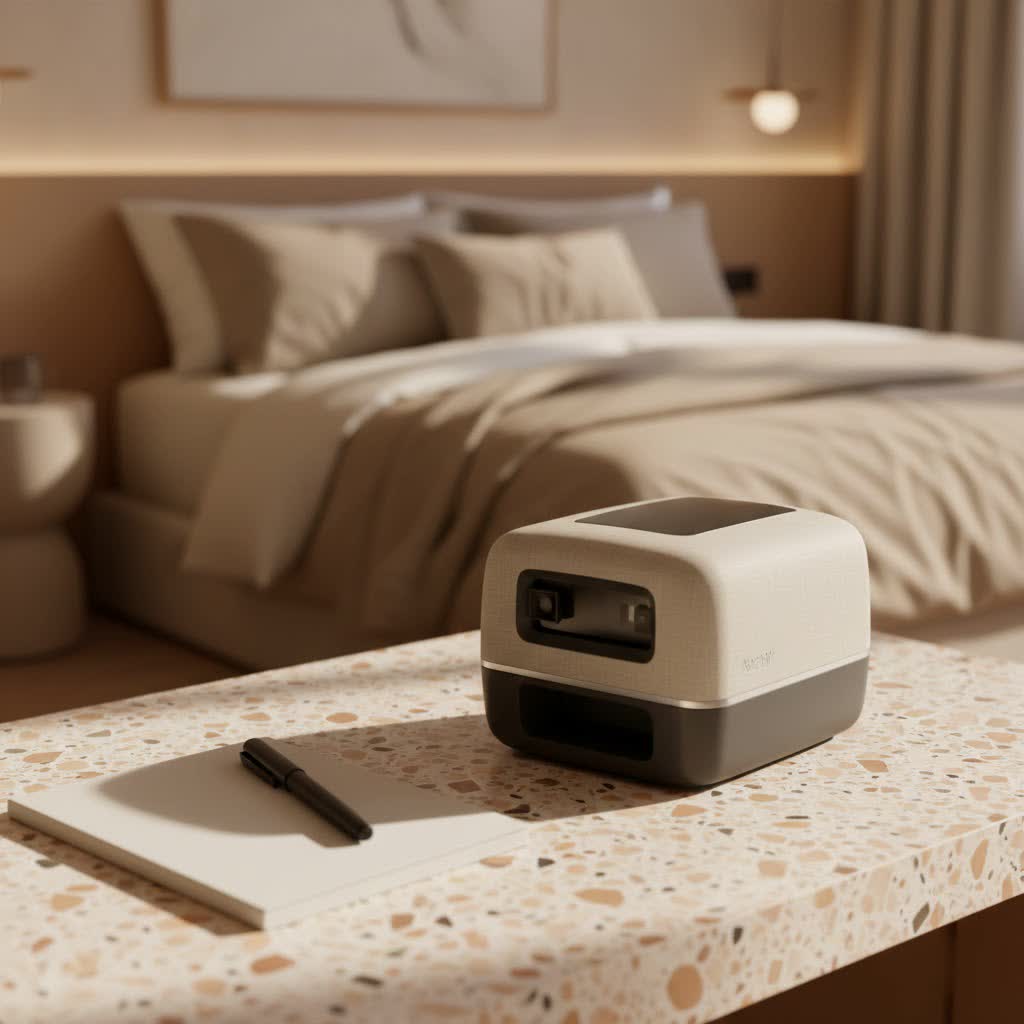
These handy devices are more than just label printers; they’re essential organizational companions that bring clarity and efficiency to your daily life. Whether you’re tackling a mountain of paperwork, organizing your pantry, or streamlining operations for your small business, a reliable label maker can make all the difference.
What is a Label Maker, Anyway? (And Why You Need One)
At its core, a label maker is a compact, portable printing device designed to produce adhesive-backed labels for identification, organization, and categorization. Forget messy handwriting or flimsy paper tags; label makers create professional, legible, and durable labels with ease. They typically eliminate the need for ink cartridges, utilizing thermal printing technology that reacts with heat-sensitive tape or ribbons for a clean print.
So, why do you absolutely need one? Well, for starters, a label maker can dramatically improve organization and retrieval efficiency in any setting, from your kitchen to a busy warehouse. It helps reduce errors in documentation and inventory, creates a uniform and professional appearance, and saves you precious time compared to handwriting labels. Plus, modern label makers come in various forms, including simple handheld units for on-the-go tasks, advanced desktop systems for higher volumes, and even smart, app-connected models for ultimate flexibility.
Finding Your Perfect Match: Top Label Makers at Target
Target offers a diverse selection of label makers, making it a convenient one-stop shop for your organizational needs. You’ll often find popular brands like Brother P-Touch, DYMO, Nelko, and Niimbot, each offering a unique set of features tailored to different preferences and budgets.
- Brother P-Touch Series: Known for their durability and user-friendly interfaces, Brother P-Touch label makers are a common sight. Models like the Brother P-Touch PT-D220 are praised for their extensive font, border, and symbol options, along with water-resistant label tapes, making them excellent for home and light office use. The Spruce even highlighted the PT-D220 as a “Best Overall” pick, noting its portability and rich customization features.
- DYMO LetraTag and LabelManager: DYMO label makers are also popular, with models like the LetraTag 100H offering a portable and battery-operated solution for quick labeling tasks. The DYMO LetraTag 200 Bluetooth Label Maker provides app connectivity for design flexibility from your smartphone.
- Nelko and Niimbot Bluetooth Printers: For those who love smartphone integration, brands like Nelko (e.g., P22 Bluetooth Label Printer) and Niimbot (e.g., B1 Label Maker) offer compact, inkless thermal printers that connect to your phone via Bluetooth. These are fantastic for creative labeling with custom fonts, images, and even barcodes directly from an app. The Nelko, for example, is celebrated for its barcode and picture elements and sleek, portable design.
When browsing for a Target label maker, consider what type of keyboard you prefer (full QWERTY vs. alphabetic), the screen size, and whether app connectivity is a must-have for your workflow.
“Choosing the right label maker feels a lot like picking a new trusty assistant. You want someone reliable, versatile, and easy to work with. Don’t just grab the first one you see; think about your daily labeling tasks, and find the machine that genuinely simplifies them.” – Clara Jenkins, Organizational Efficiency Consultant at Paerm.com
Beyond the Basics: Essential Features to Consider
A label maker might seem simple, but a few key features can significantly impact its usefulness for your specific needs.
Tape Types & Durability
Not all labels are created equal. The type of tape a label maker uses directly affects durability and application.
- Laminated Tapes: Ideal for labels that need to withstand moisture, chemicals, abrasion, or UV exposure. Think outdoor equipment, kitchen containers, or industrial settings. These use thermal transfer technology, applying ink from a ribbon for a permanent print.
- Standard Tapes: Often direct thermal, these are great for general indoor use like file folders or pantry items, but may fade over time if exposed to heat or direct sunlight.
- Specialty Tapes: Some models support vinyl for flexible surfaces, magnetic for metal, or even heat-shrink tubing for electrical wires.
|
Our Picks for the Best Label Maker in 2026
As an Amazon Associate I earn from qualifying purchases.
|
||
| Num | Product | Action |
|---|---|---|
| 1 | MeetRGB Embossed Label Maker (Includes Tape), Vintage Embossing Label Machine, Comes with 5 Rolls of 3D Embossed Labels, Suitable for Office and DIY Use—Purple |

|
| 2 | DYMO Label Maker Machine with Tape - 100H LetraTag Handheld, Comes with 3 LT label tapes. Great for Home & Office Organization |
|
| 3 | NelkoGlobal Label Maker, Label Maker Machine with Tape, Portable Bluetooth Label Printer with Little Space, Mini D10 Label Machine with Multiple Personalized Templates for Family School |
|
| 4 | DYMO LetraTag 100H Plus Handheld Label Maker for Office or Home |
|
| 5 | DYMO LabelManager 160 Portable Label Maker Bundle, Easy-to-Use, One-Touch Smart Keys, QWERTY Keyboard, Large Display, For Home & Office Organization, Includes 3 D1 label cassettes |
|
| 6 | DYMO LetraTag LT-100H Handheld Aesthetic Label Maker, ABC Keyboard Label Printer with Easy-to-Use, 13 Character LCD Screen, Great for Home & Office Organization, Pink |
|
| 7 | EazeID Embossing Label Maker Machine with Tapes, Manual Embossed Label Maker Retro, Vintage Embosser Labeler 3/8 Inch 9mm 3D Waterproof-Labels for Scrapbooking Supplies Kids DIY Craft Home Office Use |
|
| 8 | LỖI |
|
| 9 | Brother P-Touch PT-N20 Personal Desktop Label Maker, Portable, Handheld and Prints, P-Touch Btag ~½” (12mm) Wide Color Personalized Label Tapes |
|
| 10 | DETONGER DT5150P Industrial Colorfast Label Maker, Thermal Transfer Label Printer with 1.65\" W Print Head, Heavy-Duty for Outdoor Direct Sunlight Job Sites, Mobile APP & PC Editor Compatible |
|
Most label makers available at Target, especially Brother and Dymo, will offer a range of compatible tape cassettes in various colors, widths, and materials. Tape widths typically range from 1/8 inch to 1 inch, so consider what sizes you’ll need most frequently.
Print Resolution
If you plan to print complex graphics, logos, or very small text, a higher print resolution (e.g., 300 dpi) will ensure crisp, clear results. For basic text labels, lower resolutions are often sufficient.
Connectivity
- Standalone: Many handheld label makers operate independently with their own keyboard and screen.
- USB to PC/Mac: Some desktop models connect to your computer, allowing you to design labels using software with more advanced formatting, database integration, and batch printing capabilities.
- Bluetooth & App Control: Increasingly popular, these models pair with your smartphone or tablet, letting you design labels using intuitive apps that offer a wide array of fonts, symbols, images, and templates. This provides immense flexibility and leverages your phone’s larger screen for design.
Power Source
Consider how and where you’ll use your label maker.
- Batteries (AA/AAA): Common for portable, handheld models, offering cordless freedom but requiring periodic replacement.
- AC Adapter: Great for stationary desktop models, ensuring continuous power without worrying about battery life.
- Rechargeable Batteries: Many modern portable and Bluetooth models come with built-in rechargeable lithium-ion batteries, offering a good balance of portability and sustained use.
Keyboard & Display
A full QWERTY keyboard generally speeds up data entry for longer labels, while a smaller, alphabetically arranged keypad might be fine for short, simple labels. A backlit LCD display is invaluable for visibility in various lighting conditions, and a graphical display can show you how your label will look before printing, helping to prevent wasted tape.
Unleash Your Creativity: Innovative Uses for Your Target Label Maker
The beauty of a label maker lies in its versatility. Once you start, you’ll find endless ways to apply it!
Home Organization Hacks
- Pantry Perfection: Label jars, containers, and shelves for spices, grains, and snacks.
- Kid’s Kingdom: Label toy bins, school supplies, and clothing drawers to encourage independence and tidiness.
- Linen Closet Logic: Clearly mark shelves for sheets, towels, and seasonal items.
- Craft Corner Clarity: Organize art supplies, ribbons, and tools with precision.
- Emergency Essentials: Label first-aid kits, battery drawers, and important documents for quick access.
Office Efficiency Boosters
- Filing System Overhaul: Create consistent, professional labels for file folders, binders, and document boxes.
- Cable Management: Label power cords, network cables, and charging wires to avoid frustrating tangles.
- Asset Tracking: Use durable labels to mark company equipment, electronics, and furniture for inventory and maintenance.
- Desk Drawer Detox: Label compartments for pens, staplers, and other office essentials.
Small Business Solutions
- Product Labeling: For small batch products, create attractive and informative labels with barcodes and product details.
- Inventory Management: Label storage bins and shelves with SKU numbers and product names for efficient stock rotation.
- Shipping & Logistics: Print clear address labels and shipping information, especially useful with thermal label printers.
- Branding: Design custom stickers with your logo for packaging or promotional materials.
Specialty labels, such as those resistant to chemicals or extreme temperatures, can be particularly useful for businesses needing robust identification solutions.
Setting Up & Maintaining Your Label Maker for Longevity
Getting started with your new Target label maker is usually straightforward, but a few tips can ensure smooth operation and a long lifespan for your device.
Initial Setup
- Unbox and Inspect: Make sure all components are present and undamaged.
- Power Up: Insert batteries (AA/AAA are common) or connect the AC adapter if included. For rechargeable models, give it a full charge before first use.
- Load Tape: This is usually a simple process of opening a compartment and inserting a tape cassette, following the pictorial instructions. Ensure the tape is threaded correctly.
- Connect (if applicable): If your label maker has Bluetooth, download the companion app and pair the device. For PC-connected models, install any necessary drivers or software.
Maintenance Tips
- Clean the Print Head: Regularly clean the thermal print head with a dry cotton swab to prevent residue buildup and ensure clear printing.
- Proper Storage: Store your label maker and tape cassettes in a cool, dry place away from direct sunlight to prevent adhesive degradation and protect the device.
- Use Recommended Tapes: Stick to the tape types recommended by the manufacturer. Using incompatible tapes can damage the internal mechanisms or result in poor print quality.
Troubleshooting Common Problems
- Faint Printing: Check tape levels, ensure the print head is clean, and verify battery strength.
- Tape Jams: Carefully remove the tape cassette and check for any obstructions. Reinsert the tape correctly.
- “No Tape” Error: Ensure the cassette is fully seated and the sensor isn’t blocked.
- Connectivity Issues: For Bluetooth models, ensure Bluetooth is enabled on your phone and the app is updated. For PC connections, check cables and drivers.
Making the Smart Purchase: What to Consider Before You Buy
Before you finalize your purchase of a Target label maker, take a moment to weigh these factors:
- Budget vs. Features: While budget-friendly models (often $20-$40) are excellent for basic home use, mid-range ($40-$80) and premium ($80-$150+) options offer more advanced features, higher resolution, and better connectivity. Prioritize features you’ll actually use over a long list of “nice-to-haves.”
- Total Cost of Ownership (TCO): Remember that label tapes are an ongoing expense. Compare the cost per foot of proprietary tapes across brands. While generic tapes might be cheaper, always test a single roll first to ensure compatibility and print quality.
- Reviews and Ratings: Leverage online reviews, especially from verified purchasers, to gauge real-world performance, longevity, and tape adhesion. The Spruce’s reviews, for instance, provide valuable insights into usability and durability.
- Target’s Convenience: Buying a label maker at Target means easy access to accessories and replacement tapes, plus the benefit of their customer service and return policies.
Conclusion
Embracing organization with a Target label maker isn’t just about neatness; it’s about reclaiming your space, boosting your efficiency, and adding a touch of personalized order to your life. From tidying up your home to streamlining your business, the right label maker can be an invaluable tool. By considering the various types, features, and applications discussed, you’re now equipped to choose a device that perfectly matches your needs and helps you create a beautifully organized world, one label at a time.
So, head over to Target, explore the options, and start your labeling journey today! You’ll be amazed at the difference a little label can make.
