Are you tired of rummaging through cluttered drawers, mistaking one file for another, or facing an unidentifiable mess in your pantry? We’ve all been there. In a world brimming with chaos, a little organization goes a long way, and that’s where the Brother P-touch label maker swoops in as your ultimate hero. These incredibly versatile devices are designed to bring order to your home, office, or small business, transforming disarray into perfectly labeled harmony.
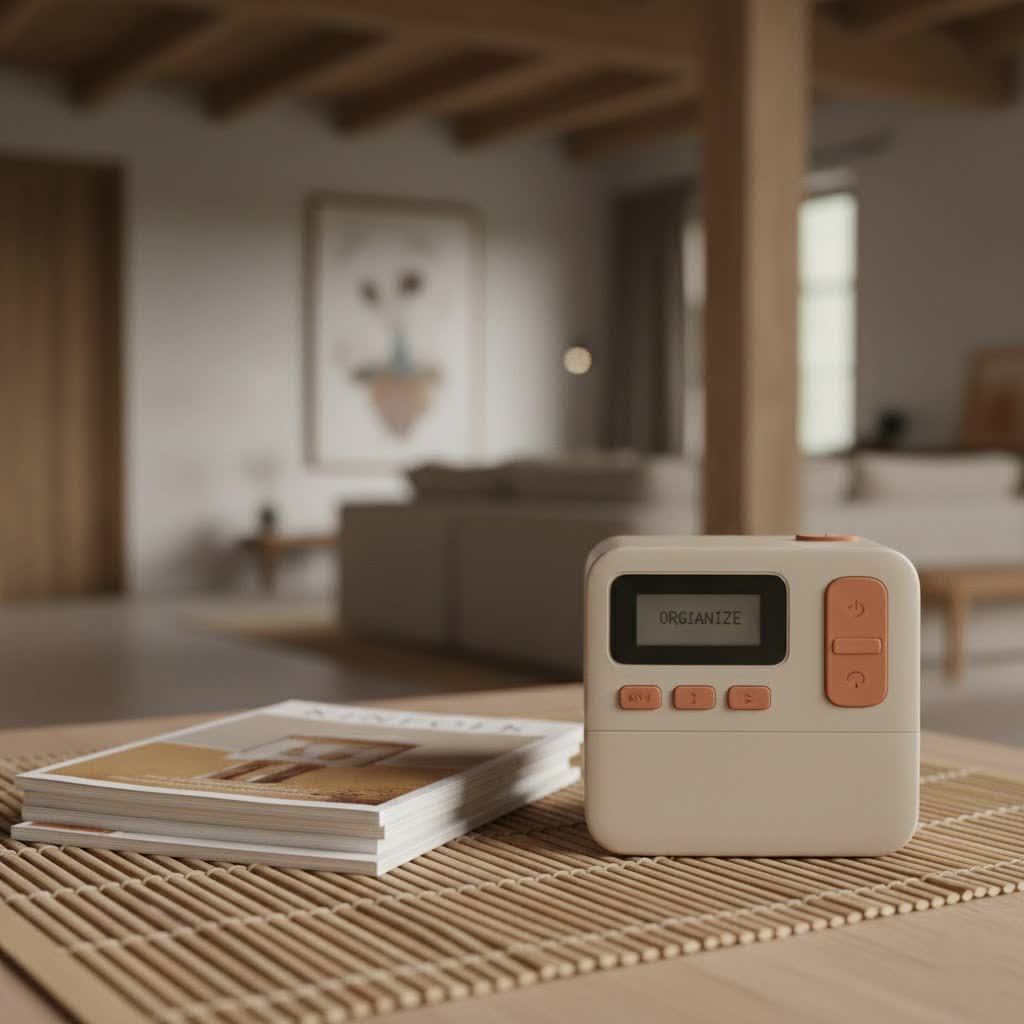
At Paerm.com, we understand the power of an organized space. Having spent over a decade immersing ourselves in the world of label makers, we can confidently say that Brother P-touch stands out. It’s not just about printing words; it’s about crafting a system that makes your life easier, more efficient, and undeniably more professional.
What Makes Brother P-touch Label Makers Stand Out?
When you’re looking for a labeling solution, why does Brother P-touch consistently come up as a top choice? It boils down to a few key factors that make these machines truly exceptional.
Firstly, Brother P-touch label makers are renowned for their durability and quality. They utilize specialized TZe laminated tapes which are designed to withstand extreme conditions, including heat, cold, water, and abrasion. Imagine labels for your outdoor equipment or freezer items that remain perfectly legible year after year. That’s the Brother P-touch promise.
Secondly, their ease of use is a major draw. Many models feature familiar QWERTY keyboards, making typing a breeze, much like using a small computer. Intuitive interfaces and one-touch formatting keys mean you can often start labeling right out of the box without diving deep into a manual. This simplicity is a huge time-saver, whether you’re labeling a few files or a whole inventory.
Finally, the sheer versatility of the Brother P-touch lineup is unmatched. From compact, handheld devices perfect for on-the-go tasks to robust desktop models capable of complex, high-volume jobs, there’s a P-touch for every need. The extensive range of compatible TZe tapes, available in various widths, colors, and specialty types, further enhances their adaptability, allowing you to create exactly the label you need for any surface or environment.
Choosing Your Perfect Brother P-touch Label Maker
Picking the right Brother P-touch label maker might seem daunting with so many options available. But trust me, it’s all about matching the machine to your specific needs.
Consider Your Needs
First, ask yourself: what will you primarily be labeling?
- Home Use: For organizing your pantry, craft supplies, kids’ school gear, or even charging cables, a portable, user-friendly model like the PT-H110 or PT-D220 might be perfect.
- Office Use: If you’re tackling files, binders, shelving, or office equipment, you might appreciate the advanced features of a desktop model like the PT-D600, offering a color display and multiple connectivity options.
- Small Business or Industrial Use: For heavy-duty tasks, inventory management, product labeling, or harsh environments, industrial models like the PT-P910BT, which handles wider tapes and heat-shrink tubing, provide the durability and features you need.
|
Our Picks for the Best Label Maker in 2026
As an Amazon Associate I earn from qualifying purchases.
|
||
| Num | Product | Action |
|---|---|---|
| 1 | NelkoGlobal Label Maker, Label Maker Machine with Tape, Portable Bluetooth Label Printer with Little Space, Mini D10 Label Machine with Multiple Personalized Templates for Family School |

|
| 2 | DETONGER DT5150P Industrial Colorfast Label Maker, Thermal Transfer Label Printer with 1.65\" W Print Head, Heavy-Duty for Outdoor Direct Sunlight Job Sites, Mobile APP & PC Editor Compatible |
|
| 3 | LỖI |
|
| 4 | DYMO LabelManager 160 Portable Label Maker Bundle, Easy-to-Use, One-Touch Smart Keys, QWERTY Keyboard, Large Display, For Home & Office Organization, Includes 3 D1 label cassettes |
|
| 5 | Brother P-Touch PT-N20 Personal Desktop Label Maker, Portable, Handheld and Prints, P-Touch Btag ~½” (12mm) Wide Color Personalized Label Tapes |
|
| 6 | DYMO Label Maker Machine with Tape - 100H LetraTag Handheld, Comes with 3 LT label tapes. Great for Home & Office Organization |
|
| 7 | DYMO LetraTag LT-100H Handheld Aesthetic Label Maker, ABC Keyboard Label Printer with Easy-to-Use, 13 Character LCD Screen, Great for Home & Office Organization, Pink |
|
| 8 | EazeID Embossing Label Maker Machine with Tapes, Manual Embossed Label Maker Retro, Vintage Embosser Labeler 3/8 Inch 9mm 3D Waterproof-Labels for Scrapbooking Supplies Kids DIY Craft Home Office Use |
|
| 9 | DYMO LetraTag 100H Plus Handheld Label Maker for Office or Home |
|
| 10 | MeetRGB Embossed Label Maker (Includes Tape), Vintage Embossing Label Machine, Comes with 5 Rolls of 3D Embossed Labels, Suitable for Office and DIY Use—Purple |
|
Handheld vs. Desktop Models
Brother P-touch offers both handheld and desktop versions.
- Handheld models (e.g., PT-H110) are incredibly portable and great for quick labeling on the go, making them ideal for tasks around the house, in a workshop, or for mobile professionals.
- Desktop models (e.g., PT-D600, PT-D610BT) generally offer more advanced features, larger displays, faster print speeds, and often greater connectivity options, making them suitable for higher-volume jobs or more intricate label designs.
Key Features to Look For
Let’s break down some essential features to consider:
- Keyboard Type: Most Brother P-touch models come with a familiar QWERTY keyboard, which is a huge plus for comfortable and efficient typing.
- Display: Look for clear LCD screens, with some advanced models offering color displays and print previews, so you can see exactly what your label will look like before printing.
- Connectivity: Modern P-touch label makers offer various connectivity options. USB allows connection to a PC, while Bluetooth and Wi-Fi-enabled models (like the PT-P750W or PT-P910BT) let you design and print labels from your smartphone or tablet using dedicated apps like Brother Design&Print. This is incredibly convenient for creating custom labels with graphics and logos.
- Tape Compatibility: Ensure the model supports the tape widths (e.g., up to 1/2″, 1″, or 1.5″) and types (M-tape, TZe laminated, specialty tapes) you’ll need. TZe tapes are known for their laminated, durable quality.
- Power Source: Most portable models run on AAA or AA batteries, but many also offer optional AC adapters, which are a lifesaver for extended use and can prevent interruptions.
- Customization: Features like multiple fonts, sizes, styles (bold, italic, shadow), frames, and symbols allow for creative and professional label designs. Some even have memory to save frequently used labels.
- Cutter: Both manual and automatic cutters are available. Automatic cutters are a time-saver for high-volume tasks, while manual cutters are perfectly fine for occasional use.
Unleashing the Power: How to Use and Maintain Your Brother P-touch
Getting started with your Brother P-touch label maker is generally straightforward, designed for user-friendliness right out of the box.
Getting Started
“How do I begin printing my first label?” The process is usually simple:
- Insert Tape: Open the tape compartment, often on the back or top, and simply drop in your chosen TZe tape cassette, ensuring it’s seated correctly.
- Power Up: Insert batteries (if it’s a portable model) or connect the AC adapter.
- Type & Print: Turn on the device, type your desired text using the QWERTY keyboard, and press the print button. Many models have dedicated keys for basic formatting.
Customizing Your Labels
Your Brother P-touch isn’t just for plain text! “How can I make my labels more creative or professional?”
- Fonts, Sizes & Styles: Experiment with different fonts, adjust text size, and apply styles like bold, italic, or outline. This can make key information stand out.
- Frames & Symbols: Add a professional touch or a bit of fun with decorative frames and a wide array of symbols available on most machines. These are great for categorizing or adding visual cues.
- Multi-Line Printing: For more information on a single label, utilize multi-line printing capabilities where available.
Smart Features for Efficiency
Some models come packed with features to streamline your labeling:
- Label Memory: “Can I save my most-used labels?” Absolutely! Many P-touch models allow you to save frequently used labels, making it easy to recall and print them again without retyping.
- Templates: Pre-set label templates can speed up common tasks like organizing files or cables.
- Cable Labeling Feature: Specific models offer a “cable labeling” function that prints labels designed to wrap around cables for easy identification.
Maintenance Tips
To ensure your Brother P-touch label maker remains a reliable tool for years to come:
- Clean the Print Head: Regularly clean the print head with a soft, dry cloth or a cotton swab dampened with rubbing alcohol to prevent faint or uneven print quality.
- Clear Jams: If tape jams occur, turn off the machine, remove the tape cartridge, and carefully clear any obstructions. Ensure tape is loaded correctly afterwards.
- Battery Care: If using batteries, remove them during long periods of inactivity to prevent leakage. Consider an AC adapter for stationary use.
- Firmware Updates: For connected models, keep the software and firmware updated to ensure optimal performance and access to new features.
Beyond the Basics: Creative and Business Applications
The true beauty of a Brother P-touch label maker lies in its endless applications, spanning from personal organization to professional efficiency.
Home Organization Hacks
“What are some clever ways to organize my home with a label maker?”
- Pantry Perfection: Label food containers, spice jars, and shelves for an organized and aesthetically pleasing kitchen.
- Craft Room Clarity: Keep track of ribbons, beads, fabrics, and tools. No more guessing which box holds what!
- Cable Chaos Control: Label power cords, USB cables, and electronics to identify them quickly and avoid unplugging the wrong device.
- Kids’ Corner: Label school supplies, toy bins, and clothing items to foster independence and keep things tidy.
- Storage Solutions: From holiday decorations to sentimental keepsakes, clearly label storage bins for effortless retrieval.
Boosting Business Productivity
For small businesses, a Brother P-touch label maker isn’t just a convenience; it’s a strategic tool.
- Inventory Management: “How can a label maker streamline my inventory?” By creating clear, scannable labels for products, shelves, and storage, you can drastically reduce inventory counting time and minimize errors. This leads to more efficient stock rotation and easier tracking.
- File & Asset Tracking: Label file folders, drawers, and office equipment for a streamlined workspace. Knowing exactly where important documents are stored boosts productivity and professionalism.
- Product Labeling: For businesses selling physical goods, professional product labels with ingredients, instructions, or branding can enhance appearance and provide essential information to customers.
- Safety and Warnings: In workshops or industrial settings, durable labels can mark safety equipment, dangerous areas, or important instructions, ensuring compliance and enhancing workplace safety.
- Cable Management: In IT environments or complex setups, labeling network cables and patch panels is crucial for troubleshooting and maintenance.
“A label maker is often seen as a simple tool, but in the hands of an organized professional, it becomes an indispensable asset,” says Maya Singh, a renowned efficiency consultant specializing in small business operations. “From standard file organization to creating custom branding on products, the right Brother P-touch model empowers businesses to achieve a level of systematic order that directly translates into improved productivity and a polished image.”
Brother P-touch Tapes: The Foundation of Durability and Style
The quality and variety of Brother P-touch tapes are truly what set the system apart. “Why are Brother P-touch tapes so good?”
The cornerstone is the TZe laminated tape technology. These tapes feature six layers of material that are laminated together, creating a virtually indestructible label. The print is protected between two layers of PET (polyester film), making it resistant to:
- Water and chemicals
- Fading from UV light
- Abrasion
- Extreme temperatures
This means your labels won’t smudge, smear, or peel, even in harsh conditions like a sunny window, a dusty garage, or a bustling kitchen.
Brother offers a vast selection of TZe tapes to suit almost any need:
- Standard Laminated: Available in a multitude of colors and widths for general use.
- Flexible ID: Designed to wrap around cylindrical surfaces like cables and pipes.
- Strong Adhesive: For rough or textured surfaces where extra sticking power is needed.
- Fabric Iron-On: Perfect for labeling clothing and textiles (great for kids’ school uniforms!).
- Heat Shrink: For professional electrical wire and cable identification.
- Magnetic: For easily removable labels on metal surfaces.
And beyond TZe, you might find M-tape for certain older or entry-level models, often suitable for indoor, non-laminated applications. With such variety, you can always find the perfect tape to match your labeling project’s requirements for both durability and aesthetic appeal.
Frequently Asked Questions (FAQ)
Are Brother P-touch labels waterproof?
Yes, most Brother P-touch labels, particularly those using TZe laminated tapes, are highly water-resistant and designed to withstand moisture, making them suitable for both indoor and outdoor use.
How do I save battery life on my P-touch label maker?
To extend battery life, ensure you turn off the label maker when not in use. For models with an AC adapter option, use it for prolonged labeling tasks to conserve batteries.
Can I print from my smartphone with a Brother P-touch?
Many newer Brother P-touch models, like the P-touch CUBE series or models with Bluetooth/Wi-Fi connectivity (e.g., PT-P750W, PT-P910BT), allow you to design and print labels directly from your smartphone or tablet using the Brother Design&Print app.
What’s the difference between M tape and TZe tape?
M tape is generally a non-laminated tape primarily used with older or basic Brother P-touch models for indoor applications. TZe tape, on the other hand, is laminated, offering superior durability against water, chemicals, abrasion, and fading, making it suitable for a much wider range of uses.
How do I prevent tape waste?
Some Brother P-touch models have settings to reduce margin waste. Also, plan your labels by typing multiple short labels and printing them together, then cutting them individually, to minimize the leader/trailer tape waste.
Conclusion
The Brother P-touch label maker is more than just a gadget; it’s a gateway to a more organized, efficient, and professional life. From decluttering your home to streamlining complex business operations, these devices offer unparalleled reliability, versatility, and ease of use. By understanding the different models, choosing the right tapes, and embracing their myriad applications, you unlock the full potential of systematic organization.
So, are you ready to transform your space and boost your productivity? Explore the world of Brother P-touch label makers and discover how these robust tools can make a significant difference. Dive into our guides and expert insights at Paerm.com, and join a community that values smart, effective organization. Your journey to a perfectly labeled world starts now!
