The “Avery label maker” refers to a comprehensive system of high-quality labels and intuitive online design software, not a single handheld device. This system, primarily centered around Avery Design & Print Online (ADPO), allows users to create virtually any custom label using their existing inkjet or laser printer, or through Avery’s professional printing services. This approach provides extensive versatility for both home organization and professional branding needs.
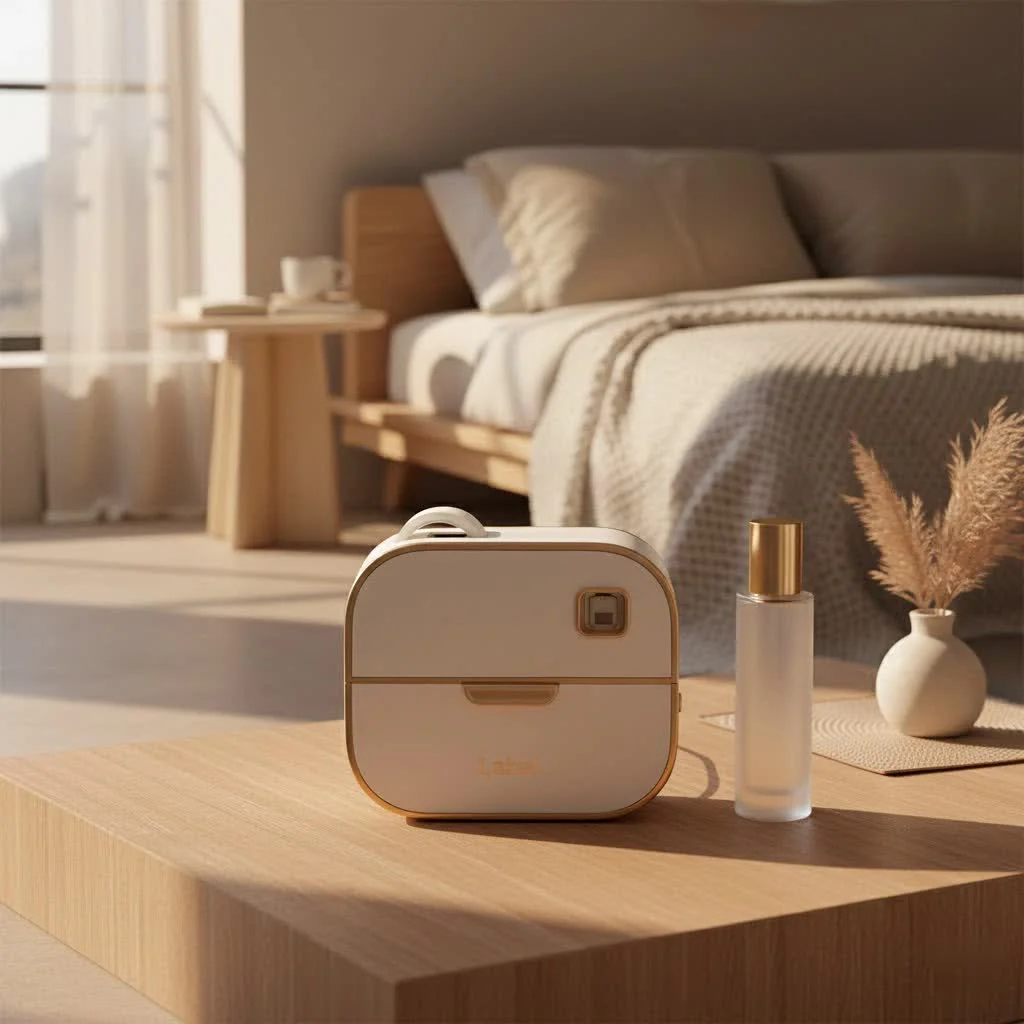
At Paerm.com, we understand that effective labeling is a cornerstone of organization and branding. With over a decade of hands-on experience in the labeling world, we’re here to guide you through understanding and mastering the Avery label making ecosystem. Get ready to improve your ideas into perfectly printed labels with confidence and ease. For shop curated label makers on this site.
What is the Avery Label Making Experience?
When people talk about an “Avery label maker,” they’re often referring to the entire robust system that Avery provides for creating custom labels. It’s not typically a single physical device in the way a Dymo or Brother P-touch is. Instead, Avery’s strength lies in its vast array of printable labels and its powerful, user-friendly online design software. This combination allows you to design and print professional-quality labels using your existing printer or through Avery’s custom printing services.
Beyond the Device: Avery’s Ecosystem of Labels and Software
At the heart of the Avery label making experience is the Avery Design & Print Online (ADPO) software. Think of this as your virtual label maker. It’s an accessible, web-based platform that makes designing labels straightforward, even for beginners. This software seamlessly integrates with Avery’s extensive catalog of blank labels, allowing you to choose the exact size, shape, and material for your project. From simple address labels to complex product branding, ADPO provides the tools you need without requiring any software download.
Avery offers an incredible variety of label products, including sheets for inkjet and laser printers, as well as custom roll labels for businesses with high-volume needs. This diverse range ensures that whether you’re labeling files, organizing your pantry, or preparing products for market, there’s an Avery label perfectly suited for the task.
Why Choose Avery for Your Labeling Needs?
Avery has built a reputation over decades for providing reliable and high-quality labeling solutions. Their commitment to innovation means their labels are designed to perform exceptionally, preventing smudges, jams, and alignment issues that can plague lesser brands.
According to industry expert, Dr. Elara Vance, “Avery’s true genius lies in democratizing professional-grade labeling. They provide the quality and tools that make it accessible for everyone, from home organizers to burgeoning e-commerce businesses.” This blend of quality materials and user-centric design software makes the entire process efficient and satisfying.
Designing Your Perfect Labels with Avery Design & Print Online
The true “magic” of an Avery label maker unfolds within the Design & Print Online software. It’s designed to be intuitive, guiding you through the creation process step-by-step.
Getting Started: Navigating the User-Friendly Platform
|
Our Picks for the Best Label Maker in 2026
As an Amazon Associate I earn from qualifying purchases.
|
||
| Num | Product | Action |
|---|---|---|
| 1 | NelkoGlobal Label Maker, Label Maker Machine with Tape, Portable Bluetooth Label Printer with Little Space, Mini D10 Label Machine with Multiple Personalized Templates for Family School |

|
| 2 | DYMO Label Maker Machine with Tape - 100H LetraTag Handheld, Comes with 3 LT label tapes. Great for Home & Office Organization |
|
| 3 | DETONGER DT5150P Industrial Colorfast Label Maker, Thermal Transfer Label Printer with 1.65\" W Print Head, Heavy-Duty for Outdoor Direct Sunlight Job Sites, Mobile APP & PC Editor Compatible |
|
| 4 | EazeID Embossing Label Maker Machine with Tapes, Manual Embossed Label Maker Retro, Vintage Embosser Labeler 3/8 Inch 9mm 3D Waterproof-Labels for Scrapbooking Supplies Kids DIY Craft Home Office Use |
|
| 5 | DYMO LabelManager 160 Portable Label Maker Bundle, Easy-to-Use, One-Touch Smart Keys, QWERTY Keyboard, Large Display, For Home & Office Organization, Includes 3 D1 label cassettes |
|
| 6 | LỖI |
|
| 7 | Brother P-Touch PT-N20 Personal Desktop Label Maker, Portable, Handheld and Prints, P-Touch Btag ~½” (12mm) Wide Color Personalized Label Tapes |
|
| 8 | MeetRGB Embossed Label Maker (Includes Tape), Vintage Embossing Label Machine, Comes with 5 Rolls of 3D Embossed Labels, Suitable for Office and DIY Use—Purple |
|
| 9 | DYMO LetraTag 100H Plus Handheld Label Maker for Office or Home |
|
| 10 | DYMO LetraTag LT-100H Handheld Aesthetic Label Maker, ABC Keyboard Label Printer with Easy-to-Use, 13 Character LCD Screen, Great for Home & Office Organization, Pink |
|
To begin, simply visit the Avery Design & Print Online website. You can start by entering the product number from your Avery label packaging, which will automatically load the correct template. Alternatively, you can browse through thousands of professionally designed templates by category, or even start with a blank canvas if you have a specific vision in mind. This flexibility ensures that no matter your design skill level, you can quickly get started on your project.
Customization at Your Fingertips: Text, Graphics, and Data Merge
Once your template is loaded, the real fun begins. ADPO offers a robust suite of customization tools:
- Text Editing: Easily add straight or curved text, choosing from a wide selection of fonts, sizes, and colors to match your aesthetic.
- Image Integration: Upload your own logos, photos, or graphics, and use the intuitive editing tools to crop, size, and position them perfectly on your label. Avery also provides a large library of clip art and images.
- Data Merge: For larger projects like mailing lists or serialized product labels, the data merge feature is a major upgrade. You can import contact information from a spreadsheet, or generate unique barcodes and QR codes directly within the software, saving you immense time and ensuring accuracy.
Printing Options: DIY or Professional Service?
After perfecting your design, Avery offers two convenient ways to get your labels printed:
- Print Yourself: If you have an inkjet or laser printer at home or the office, you can print your designs directly onto Avery blank labels. The software helps ensure proper alignment, though a test print on plain paper is always a good idea to confirm your printer settings.
- Avery WePrint: For those who prefer professional quality, larger quantities, or specialty finishes, Avery’s custom printing service (WePrint) is an excellent option. Simply save your design and order your labels, and Avery will print and ship them directly to you. This is particularly beneficial for businesses that need a consistent, high-end look without investing in specialized printing equipment.
How to Choose the Right Avery Labels for Your Project
Selecting the correct Avery label is crucial for the success and longevity of your project. With so many options available, here’s how to narrow down your choices:
Material Matters: Paper, Waterproof, Clear, and Specialty Labels
Avery offers labels in a variety of materials, each designed for specific applications:
- Paper Labels: Ideal for general use, mailing, and organizing where durability against moisture isn’t a primary concern.
- Waterproof/Weatherproof Labels: Perfect for items exposed to liquids, outdoor conditions, or frequent handling, such as kitchen containers, bath products, or garden labels.
- Clear Labels: Provide a “no-label look” that blends seamlessly with the surface, great for product packaging where you want your design to appear directly printed on the item.
- Specialty Labels: This includes options like kraft brown for a rustic look, glossy finishes for vibrant colors, or heavy-duty labels for industrial applications.
Shapes and Sizes: Finding the Perfect Fit
From tiny round stickers to large shipping labels, Avery provides an unparalleled range of shapes and sizes. Consider the surface you’re labeling and the amount of information you need to convey. Common options include:
- Address and Shipping Labels: Standard rectangular sizes for envelopes and packages.
- Round and Oval Labels: Excellent for branding, product seals, or creative embellishments.
- Square and Rectangular Labels: Versatile for file folders, bins, jars, and product packaging.
Printer Compatibility: Laser vs. Inkjet
It’s essential to choose labels specifically designed for your printer type. Avery clearly marks its products as “for Laser Printers,” “for Inkjet Printers,” or “for Laser & Inkjet Printers.” Using the wrong type can lead to smudged ink, poor adhesion, or even damage to your printer. Always double-check your printer specifications before purchasing.
Creative Ways to Utilize Your Avery Label Making Skills
The true power of an Avery label maker system lies in its endless applications. Beyond the obvious, here are some creative ideas to inspire you:
Home Organization Hacks
- Pantry Perfection: Label jars, containers, and shelves for an organized, visually appealing kitchen. No more guessing what’s in that unlabeled spice jar!
- Storage Solutions: Clearly mark storage bins in your garage, attic, or playroom, making it easy to find seasonal items, toys, or important documents.
- Kids’ Essentials: Label school supplies, lunchboxes, and clothing for easy identification and fewer lost items.
Boosting Your Small Business
- Product Labeling: Create eye-catching labels for candles, handmade soaps, food products, or artisan goods. This is crucial for branding and conveying product information.
- Shipping and Mailing: Professional address and return labels improve your business’s image and streamline your shipping process.
- Branding and Marketing: Use custom stickers for packaging, promotions, or as small giveaways to reinforce your brand identity.
Personal Projects and Special Events
- Crafting and DIY: Organize your craft supplies or create custom labels for homemade gifts, preserves, or wine bottles.
- Party Favors: Design unique labels for party favors, wedding invitations, or holiday cards, adding a personal touch to every event.
Expert Tips for Flawless Avery Label Printing
Achieving perfect labels every time is a breeze with a few expert insights.
Alignment Acknowledged: Avoiding Misprints
“The biggest hurdle for home label printing is often alignment,” notes Amelia Hart, a veteran print specialist. “Always do a test print on a plain sheet of paper first. Hold it up to a light against your label sheet to check the layout before using your actual labels. This small step saves a lot of frustration and wasted labels.” Adjust your printer settings if necessary, often found under “Print Properties” or “Preferences,” ensuring you select the correct paper type (labels) and quality settings.
Storing Labels for Longevity
Proper storage of your unused Avery labels is key. Keep them in their original packaging, away from direct sunlight, extreme temperatures, and high humidity. This helps prevent curling, yellowing, and adhesive degradation, ensuring they’re ready when you are.
Frequently Asked Questions About Avery Label Making
Do I need a special printer for Avery labels?
No, you typically use your existing inkjet or laser printer. Just make sure to purchase Avery labels specifically designed for your printer type (inkjet, laser, or both).
Is Avery Design & Print Online free to use?
Yes, the core Avery Design & Print Online software, including access to templates and design tools, is free to use. You only pay for the labels themselves, whether you buy blank sheets to print at home or order custom-printed labels through Avery WePrint.
Can I import my own designs or data?
Absolutely! Avery Design & Print Online allows you to upload your own images and logos. You can also import data from spreadsheets for mail merge functions, creating personalized address labels, name tags, or sequential numbering with ease.
What types of projects are Avery labels best for?
Avery labels are incredibly versatile and suitable for a wide range of projects, including home organization (pantry, storage, files), small business needs (product labeling, shipping, branding), school projects, crafting, and personalizing gifts or event materials.
How do I ensure my labels print correctly?
Always perform a test print on a plain sheet of paper first. Compare this test sheet to your actual Avery label sheet to check alignment. Ensure your printer settings are configured for the correct paper type (labels) and quality.
Conclusion
The Avery label maker system, with its powerful Design & Print Online software and diverse range of labels, offers an unparalleled solution for anyone looking to bring organization, professionalism, or creativity to their projects. From tidying up your home to launching a new product line, Avery provides the tools and flexibility you need to create perfect labels every time. So, why wait? Dive into the world of Avery label making today and see how effortlessly you can improve your ideas into reality. We at Paerm.com are confident that once you experience the ease and quality, you’ll wonder how you ever managed without it. Start designing, start organizing, and let your creativity stick!
Frequently Asked Questions
Do I need a special printer to use Avery labels effectively?
No, you typically use your existing inkjet or laser printer for Avery labels. It is crucial to purchase Avery labels specifically designed for your printer type (inkjet, laser, or both) to ensure optimal results and prevent damage.
Is the Avery Design & Print Online software available for free?
Yes, the core Avery Design & Print Online software, including access to thousands of templates and design tools, is free to use. You only incur costs for the physical labels themselves, whether you print them at home or order through Avery WePrint.
Can I integrate my own designs and data into Avery's software?
Absolutely. Avery Design & Print Online allows users to upload their own images and logos for custom designs. Additionally, you can import data from spreadsheets for mail merge functions, which is ideal for creating personalized address labels or sequential numbering for projects.
What are the best uses for Avery labels in various settings?
Avery labels are highly versatile, suitable for a wide range of projects. These include home organization (e.g., pantry, storage bins), small business needs (e.g., product labeling, shipping), school projects, crafting, and personalizing gifts or event materials like party favors.
What is the most important step to ensure correct label printing?
The most important step is to always perform a test print on a plain sheet of paper first. Compare this test sheet against your actual Avery label sheet to verify alignment, and adjust your printer settings for the correct paper type (labels) and quality before printing on your final labels.
Design and Print Custom Labels with Avery
Learn how to create professional-quality custom labels using Avery's online design software and printing options.
Visit the Avery Design & Print Online website. Enter your Avery label product number to load the correct template, or browse thousands of pre-designed templates by category. You can also begin with a blank canvas for a unique design.
Utilize ADPO's robust tools to add and edit text, choosing from various fonts, sizes, and colors. Upload your own logos or images, and use editing tools to position them perfectly. For large projects, use the data merge feature to import information from spreadsheets.
Decide whether to print your labels yourself or use Avery WePrint. If printing at home, ensure you have an inkjet or laser printer compatible with your chosen Avery labels. For professional quality or larger quantities, order through Avery WePrint.
Before printing on actual Avery labels, always do a test print on a plain sheet of paper. Hold the test print against your label sheet to check alignment. Adjust your printer settings, such as paper type and quality, as needed to prevent misprints.
Once alignment is confirmed and settings are correct, proceed to print your custom labels. For optimal longevity, store any unused Avery labels in their original packaging, away from direct sunlight and extreme temperatures.
Get our weekly buyer guide
Practical specs, not advice. Unsubscribe anytime.

I was excited to try the Avery system for my home organization, especially since it mentioned using existing printers. While the labels themselves are good quality, I found the learning curve for the Design & Print Online software a bit steeper than I expected. It took me a few tries to get the hang of it, and I wish there were more beginner-friendly tutorials built right into the platform. It’s functional, but not as ‘easy’ as I hoped initially.
This system is a game-changer for home organization! I’ve labeled everything from my spice rack to my kids’ toy bins, and the labels hold up really well. The fact that I don’t need a separate handheld label maker and can just use my regular printer is fantastic. It makes creating custom labels so much more accessible and cost-effective.
I’ve been using the Avery Design & Print Online software for a while now, and it’s incredibly intuitive. I love that I can use my own inkjet printer at home to create professional-looking labels for my small business. It’s saved me so much money compared to ordering custom labels elsewhere, and the quality is always top-notch. Highly recommend for anyone needing versatile labeling solutions.
The versatility of the Avery system is really impressive. I’ve used it for everything from organizing my pantry to creating product labels for my handmade goods. My only minor complaint is that sometimes the alignment can be a little tricky with my older laser printer, but with a bit of patience, it always works out. Still, it’s a great solution for home and professional use.