A label and sticker maker is a versatile device that prints custom text, graphics, and barcodes onto adhesive-backed materials, revolutionizing home organization, crafting, and business branding. Modern models offer diverse features like color printing, various fonts, and app connectivity, moving beyond basic monochrome labels to sophisticated tools for personal and professional use. They are indispensable for tasks ranging from organizing pantry items to creating professional product packaging and shipping labels.
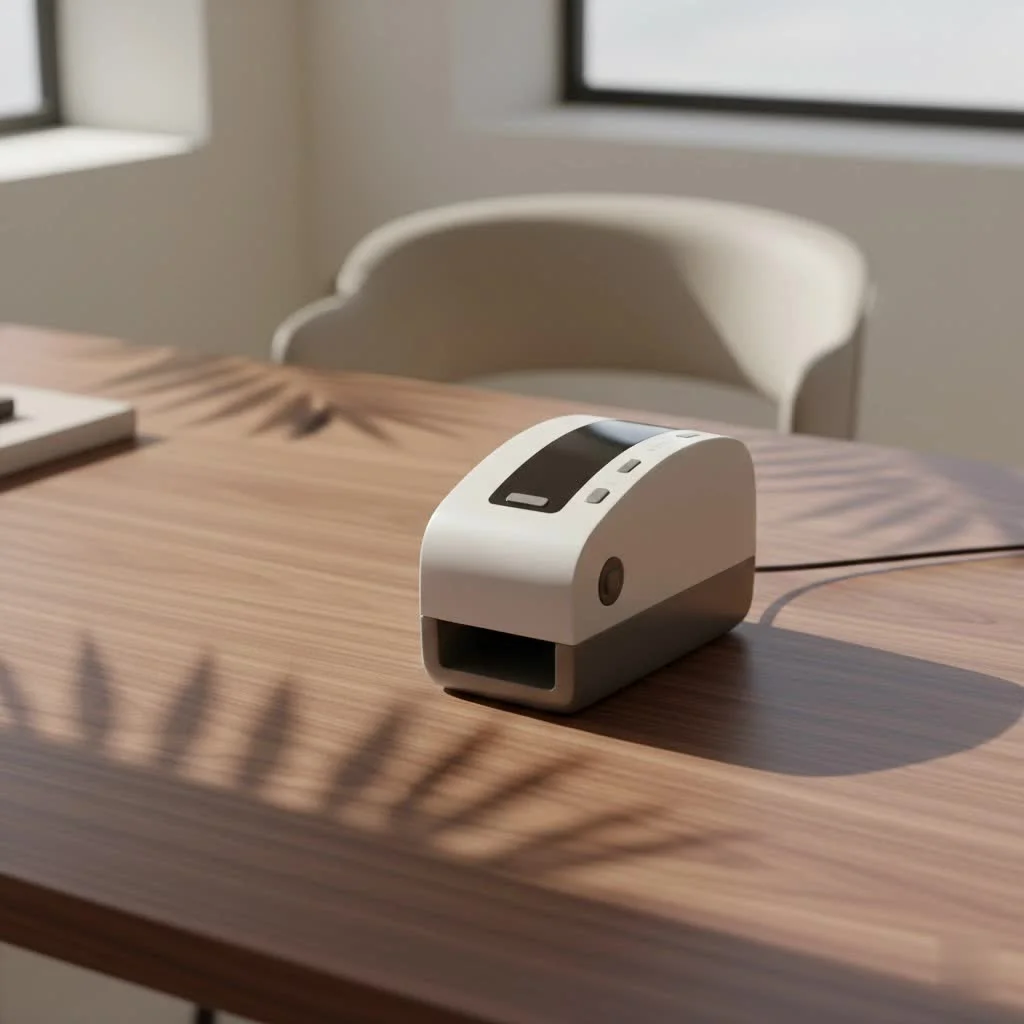 label maker to label a storage bin.” style=”margin: 20px auto;width: 800px;max-width: 100%;height: auto” />
Understanding Label and Sticker Makers: More Than Just Simple Labels
At its core, a label and sticker maker is a device designed to print custom text, graphics, and even barcodes onto adhesive-backed materials. But the modern iteration has evolved dramatically. Gone are the days of monochrome, blocky text only; today, these machines offer a spectrum of colors, fonts, symbols, and even intricate graphic capabilities. They bridge the gap between simple organization and powerful branding, making them indispensable for both personal and professional use. For explore our label makers reviews on this site.
You’ll encounter several types, each catering to different needs:
- Handheld/Portable Label Makers: Compact and battery-operated, these are perfect for on-the-go labeling around the house, office, or workshop. Think quick fixes for storage bins or labeling cables behind your entertainment center.
- Desktop Label Makers: These offer more features, larger keyboards, and bigger screens, often connecting to a computer or smartphone for advanced design capabilities. They’re ideal for consistent, higher-volume labeling tasks in an office or home business setting.
- Industrial/Professional Label Printers: Built for durability and high-volume, specialized tasks, these machines often handle wider labels, rugged materials, and can print barcodes, shipping labels, and asset tags with speed and precision.
Many modern label and sticker makers leverage thermal printing technology. This means no ink or toner cartridges are needed, simplifying maintenance and reducing ongoing costs. For vibrant, full-color stickers, some advanced models or complementary desktop printers utilize inkjet technology, especially for vinyl applications.
Choosing Your Perfect Label and Sticker Maker: A Practical Guide
Selecting the ideal label and sticker maker can feel overwhelming with so many options available. The key is to match the machine’s capabilities with your specific needs.
What to Consider When Buying a Label and Sticker Maker
Before you dive into models, ask yourself what you truly need the device for:
- Purpose: Are you primarily organizing your pantry, creating product labels for your small business, or printing durable asset tags for a workshop? Home users might prioritize ease of use and portability, while businesses will look for speed, label variety, and integration features.
- Connectivity: Some standalone models print directly via a built-in keyboard. Others offer USB connectivity to a PC, while many popular modern label and sticker makers boast Bluetooth or Wi-Fi, allowing you to design labels on a smartphone or tablet app. App-connected models often provide a far richer design experience.
- Label Types & Materials: The versatility of your machine is often determined by the labels it supports. Common options include:
- Paper Labels: Economical, great for general organization.
- Vinyl Labels: Highly durable, waterproof, UV-resistant, and often chemical-resistant, making them ideal for outdoor use, product packaging, or items exposed to moisture.
- Continuous vs. Die-cut: Continuous rolls allow you to print any length, while die-cut labels come in predefined shapes and sizes, often for specific applications like shipping.
- Specialty Labels: Look for clear, glossy, metallic, color, magnetic, or even heat-shrink tubing labels for specialized applications.
- Print Capabilities:
- Monochrome vs. Color: Most handheld and desktop label makers print in monochrome (black text on colored tape). For vibrant, full-color stickers and labels, you might need a dedicated inkjet sticker printer or specific thermal transfer models.
- Resolution (DPI): Higher DPI (dots per inch) means sharper text and clearer graphics, important for small fonts or detailed logos.
- Print Speed: Crucial for high-volume tasks.
- Maximum Label Width: Ensures the machine can handle the size of labels you need, from slim cable tags to wide shipping labels.
- Features:
- Keyboard Type: QWERTY keyboards are user-friendly for typing.
- Screen Size: A larger screen allows for easier previewing of labels before printing.
- Built-in Fonts, Symbols, and Frames: Offer immediate customization options.
- Auto-Cutter: A convenient feature, especially for printing multiple labels, ensuring clean, precise cuts.
- Software/App Design Features: Look for intuitive interfaces, pre-made templates, the ability to upload your own images and logos, mail merge functionality for address labels, and barcode generators for business use.
- Cost of Consumables: The initial price of a label and sticker maker is only part of the investment. Research the cost and availability of replacement label tapes or rolls. Some brands offer more affordable third-party options.
- Power Source: Consider whether you prefer a model with replaceable batteries (AA/AAA), a rechargeable internal battery, or an AC adapter for continuous desk use.
Popular Models Overview
|
Our Picks for the Best Label Maker in 2026
As an Amazon Associate I earn from qualifying purchases.
|
||
| Num | Product | Action |
|---|---|---|
| 1 | DYMO LetraTag LT-100H Handheld Aesthetic Label Maker, ABC Keyboard Label Printer with Easy-to-Use, 13 Character LCD Screen, Great for Home & Office Organization, Pink |

|
| 2 | DYMO LabelManager 160 Portable Label Maker Bundle, Easy-to-Use, One-Touch Smart Keys, QWERTY Keyboard, Large Display, For Home & Office Organization, Includes 3 D1 label cassettes |
|
| 3 | DETONGER DT5150P Industrial Colorfast Label Maker, Thermal Transfer Label Printer with 1.65\" W Print Head, Heavy-Duty for Outdoor Direct Sunlight Job Sites, Mobile APP & PC Editor Compatible |
|
| 4 | LỖI |
|
| 5 | MeetRGB Embossed Label Maker (Includes Tape), Vintage Embossing Label Machine, Comes with 5 Rolls of 3D Embossed Labels, Suitable for Office and DIY Use—Purple |
|
| 6 | EazeID Embossing Label Maker Machine with Tapes, Manual Embossed Label Maker Retro, Vintage Embosser Labeler 3/8 Inch 9mm 3D Waterproof-Labels for Scrapbooking Supplies Kids DIY Craft Home Office Use |
|
| 7 | DYMO LetraTag 100H Plus Handheld Label Maker for Office or Home |
|
| 8 | NelkoGlobal Label Maker, Label Maker Machine with Tape, Portable Bluetooth Label Printer with Little Space, Mini D10 Label Machine with Multiple Personalized Templates for Family School |
|
| 9 | DYMO Label Maker Machine with Tape - 100H LetraTag Handheld, Comes with 3 LT label tapes. Great for Home & Office Organization |
|
| 10 | Brother P-Touch PT-N20 Personal Desktop Label Maker, Portable, Handheld and Prints, P-Touch Btag ~½” (12mm) Wide Color Personalized Label Tapes |
|
While we at Paerm.com always recommend a personalized assessment, some brands consistently lead the market in different categories:
- Brother P-Touch Series: Renowned for their wide range of uses, from home organization to office and industrial applications, offering excellent versatility and durable laminated labels.
- DYMO Label Makers: Often praised for their user-friendliness and portability, with some models integrating well with smartphone apps.
- NIIMBOT and Nelko: These newer players excel in app-connected, portable thermal label makers, popular for their modern design and ease of use, especially for crafting and small business branding.
- Epson LabelWorks Series: Known for their industrial-style labeling capabilities, suitable for both serious hobbyists and demanding business environments.
- Rollo and Zebra: High-performance thermal label printers often favored by e-commerce businesses for fast, reliable shipping and barcode label printing.
Mastering Your Label and Sticker Maker: Tips for Setup and Maintenance
Getting the most out of your label and sticker maker involves a straightforward setup and consistent care.
Initial Setup
Most modern label and sticker makers are designed for intuitive setup.
- Loading Tape/Rolls: Carefully follow your machine’s instructions for loading the label cassette or roll. Ensure it’s seated correctly to avoid jams or misprints.
- Power On and Connect: Insert batteries or plug in your device. If it’s an app-connected model, enable Bluetooth or Wi-Fi on your smartphone and pair it with the label maker. Download the manufacturer’s dedicated app.
- Basic Printing: Run a simple test print to ensure everything is working correctly and to get a feel for the machine’s operation.
Effective Usage
Unlocking the full potential of your label and sticker maker lies in creative and efficient use:
- Designing Labels: Take advantage of the machine’s or app’s design features. Experiment with different fonts, text sizes, symbols, and frames to create visually appealing labels. Many apps allow you to upload logos or images, transforming simple labels into branded stickers.
- Maximizing Tape Usage: To minimize waste, especially with continuous tapes, look for settings that allow for smaller margins or “chain printing” multiple labels with minimal gaps.
- Printing Various Label Types: Don’t limit yourself! Use clear labels for a professional “no-label” look, or metallic labels for a premium touch. Explore specialty tapes like fabric iron-on labels for clothing or magnetic tapes for reusable organizational systems.
Maintenance for Longevity
A little care goes a long way in ensuring your label and sticker maker remains a reliable tool:
- Cleaning the Print Head: Over time, adhesive residue or dust can accumulate on the print head, leading to faded or incomplete prints. Refer to your manual for specific cleaning instructions, often involving a gentle wipe with an alcohol swab.
- Proper Storage of Tapes: Store label cassettes and rolls in a cool, dry place away from direct sunlight to preserve the adhesive quality and print readability.
- Software Updates: For app-connected models, regularly update the companion app and firmware. These updates often include new features, bug fixes, and improved compatibility.
Unleash Your Creativity: Innovative Uses for Label and Sticker Makers
The utility of a label and sticker maker extends far beyond basic identification. It’s a tool for expression and innovation!
Home Organization Heroes
Imagine a home where everything has its place, clearly marked and beautifully labeled.
- Pantry and Kitchen: Label spice jars, food containers, and shelves for quick identification and a cohesive look.
- Bathroom: Organize toiletries, cleaning supplies, and medicine cabinets.
- Storage Bins: Clearly label seasonal items, holiday decorations, or garage contents, saving you time and frustration.
- Kids’ School Supplies: Help children keep track of their belongings with personalized name labels for books, notebooks, and lunchboxes.
- Craft Rooms: Organize ribbons, threads, beads, and tools, transforming chaotic spaces into creative havens.
DIY & Crafting Delights
For the crafter and DIY enthusiast, a label and sticker maker is a secret weapon.
- Personalized Gifts: Create custom gift tags, wine bottle labels, or even decorative bands for candles to add a thoughtful, handmade touch.
- Cards and Scrapbooking: Use decorative labels for titles, sentiments, or to highlight specific elements on your pages.
- Custom Book Stickers: Personalize your literary treasures with labels featuring inspiring quotes or unique designs.
- Watch Bands: Add custom vinyl labels or fun designs to watch bands to express your unique style.
- Party Decorations: Design cupcake toppers, place cards, or custom water bottle labels for birthdays, showers, and other celebrations.
Personal Expression
Don’t underestimate the power of a custom sticker to reflect your personality.
- Custom Decals: Create small decals for laptops, phone cases, water bottles, or even car windows.
- Journaling: Use labels to add decorative elements, section dividers, or important notes to your journals and planners.
Elevating Your Business with Label and Sticker Makers
For businesses of all sizes, a label and sticker maker isn’t just a convenience; it’s a strategic asset for efficiency, professionalism, and branding.
Branding and Marketing
A strong brand identity starts with attention to detail.
- Product Packaging: Design eye-catching product labels that showcase your brand logo, ingredients, and key selling points. Consistent, professional labeling enhances perceived value.
- Promotional Giveaways: Create branded stickers to include in orders or hand out at events, acting as mini-billboards for your business.
- Event Branding: Use custom labels for event signage, name tags, or promotional materials at trade shows and pop-up shops.
Operational Efficiency
Streamline your daily operations with organized labeling.
- Shipping and Address Labels: Print professional shipping labels quickly, often integrating with e-commerce platforms. Address labels for correspondence add a polished touch.
- Inventory Management: Create clear, durable labels for inventory bins, shelves, and products, including barcodes for efficient tracking and reduced errors.
- Asset Tagging: Label company equipment, tools, and electronics with asset tags for easier tracking and inventory audits.
- Safety and Warning Labels: Print essential safety warnings or instructional labels for equipment and workspaces, ensuring compliance and enhancing safety.
Choosing Business-Specific Solutions
When it comes to business, scale matters.
- Desktop vs. Industrial Printers: For low to medium volumes of product labels or office organization, a robust desktop label and sticker maker will suffice. For high-volume shipping, manufacturing, or specialized industrial needs, an industrial-grade thermal printer is essential for speed, durability, and a wider range of media options.
- Integration: Look for machines and software that can integrate with your existing point-of-sale (POS) systems, inventory management software, or customer relationship management (CRM) tools for seamless data flow.
Expert Insight: The Paerm.com Perspective
“In my decade-plus journey with label and sticker makers, I’ve seen them evolve from niche tools to indispensable assets,” says Anya Sharma, Lead Content Creator at Paerm.com. “The true magic isn’t just in printing words, but in how these small pieces of adhesive can transform chaos into order, ideas into tangible brands, and everyday objects into personalized statements. It’s about empowering users to take control of their spaces and their stories, one perfectly printed label at a time.”
Conclusion
The modern label and sticker maker is a shows how simple technology can bring profound change. Whether you’re a home organizing enthusiast, a passionate crafter, or a small business owner striving for professionalism, there’s a machine out there designed to meet your needs. From creating beautifully organized spaces to launching captivating product lines, the versatility and ease of use offered by these devices are truly remarkable.
We encourage you to explore the possibilities, experiment with different label types and designs, and discover how a label and sticker maker can enhance your efficiency and spark your creativity. Dive in, find your perfect match, and start labeling your way to a more organized, branded, and inspired world.
Frequently Asked Questions
What are the main types of label and sticker makers available?
There are three primary types: handheld/portable for on-the-go tasks, desktop models for higher-volume office or home business use, and industrial/professional printers for specialized, high-durability applications like shipping labels and asset tags. Each type caters to different user needs and printing volumes.
What printing technology do most modern label makers use?
Many modern label and sticker makers utilize thermal printing technology, which eliminates the need for ink or toner cartridges, reducing ongoing costs and simplifying maintenance. Some advanced models or dedicated desktop printers use inkjet technology for full-color vinyl stickers.
What factors should I consider when choosing a label and sticker maker?
Key factors include your primary purpose (home, craft, business), connectivity options (standalone, USB, Bluetooth, Wi-Fi), supported label types and materials (paper, vinyl, continuous, die-cut), print capabilities (monochrome vs. color, DPI, speed, max width), and features like keyboard type, screen size, and auto-cutter. The cost of consumables is also an important long-term consideration.
How can a label maker improve home organization?
A label maker significantly improves home organization by allowing clear identification of items in pantries, bathrooms, and storage bins. It helps organize kids' school supplies, craft room materials, and seasonal decorations, saving time and reducing clutter in various household areas.
Can label and sticker makers be used for business branding?
Yes, label and sticker makers are strategic assets for business branding. They enable the creation of eye-catching product labels with logos and ingredients, branded promotional stickers for giveaways, and custom labels for event signage and name tags, enhancing perceived value and professional appearance.
What maintenance is required for a label and sticker maker?
Regular maintenance includes cleaning the print head with an alcohol swab to prevent faded prints, storing label tapes in a cool, dry place away from direct sunlight to preserve adhesive quality, and updating companion apps and firmware for app-connected models to ensure optimal performance and new features.
Setting Up Your Label and Sticker Maker
Follow these simple steps to set up your new label and sticker maker and begin printing efficiently.
Carefully insert the label cassette or roll into your machine according to the manufacturer's instructions. Ensure it is seated correctly to prevent paper jams or misprints during operation.
Insert the required batteries or plug in the AC adapter to power on your label maker. If it's an app-connected model, activate Bluetooth or Wi-Fi on your smartphone and pair it with the device, then download the dedicated app.
Execute a simple test print to confirm that the machine is functioning correctly and that the labels are printing clearly. This also helps you familiarize yourself with the device's basic operation and settings.
Get our weekly buyer guide
Practical specs, not advice. Unsubscribe anytime.
I got a label maker primarily for crafting projects, and while it’s good for basic text, I was a little disappointed with the graphics options. It says it handles graphics, but getting detailed images to look crisp on the smaller labels is a bit of a struggle. For simple labels, it’s fine, but for more intricate designs, it’s not quite what I hoped for.
I finally invested in a label maker after years of trying to keep my pantry organized with handwritten labels that always smudged. The app connectivity on my new model is a game-changer! I can design labels on my phone and print them perfectly every time. It’s made such a difference for everything from spice jars to storage bins.
I used to think label makers were just for basic monochrome text, but the modern features like diverse fonts and symbols have really impressed me. I’ve been using mine to organize my garage and workshop, and it’s so much easier to find tools and parts now. It’s a surprisingly versatile tool for both home and professional use.
This guide really helped me pick out a good label maker for my small business. I needed something that could handle professional product packaging and shipping labels, and the ability to print barcodes was a must. The color printing feature is a nice bonus for branding, though I mostly stick to monochrome for shipping. It’s definitely boosted my efficiency.