Hey there, fellow food entrepreneur and labeling enthusiast! Ever felt a bit overwhelmed staring at a blank label, wondering how to perfectly capture all those important nutrition facts? You’re definitely not alone. Crafting clear, compliant, and eye-catching nutrition facts labels is more than just a regulatory hurdle; it’s a golden opportunity to build trust with your customers and showcase the quality of your products. As someone who’s spent over a decade knee-deep in label printers and food regulations, I can tell you that a reliable nutrition facts label maker isn’t just a tool—it’s your secret weapon for success.
Here at Paerm.com, we understand the intricacies of food labeling, from the smallest home kitchen to bustling production lines. Whether you’re launching a new artisanal jam or scaling up your gourmet snack line, getting your labels right is paramount. Let’s dive into everything you need to know to confidently navigate the world of nutrition facts labeling, ensuring your products not only meet the mark but truly stand out.
Understanding Nutrition Facts Label Makers: Your Guide to Compliance and Creativity
So, what exactly is a nutrition facts label maker? At its core, it’s any tool or system designed to help you create the standardized nutritional information panel required on packaged foods. Think of it as your personal assistant for translating complex dietary data into an easy-to-understand format for your customers.
Why are Nutrition Facts Labels Important?
The importance of these labels extends far beyond mere compliance. First and foremost, they are a legal requirement for most packaged foods sold in retail, particularly in the United States, governed by the Food and Drug Administration (FDA). The FDA last significantly updated these requirements in 2016, emphasizing details like serving sizes, bolded calorie counts, and the declaration of “Added Sugars” to help consumers make more informed food choices. Failing to comply can lead to costly recalls, fines, and a damaged brand reputation.
Beyond the legal aspect, nutrition labels are a powerful tool for consumer trust. Research suggests that nearly 80% of adults check nutrition facts panels before buying food products. Consumers are increasingly health-conscious and rely on these labels to identify allergens, track macronutrients, and choose products that align with their dietary needs or preferences. A clear, accurate label signals transparency and professionalism, ultimately fostering loyalty.
Types of Nutrition Facts Label Solutions
The “label maker” in question isn’t always a physical device. There’s a spectrum of solutions available, each catering to different needs and budgets:
- Online Generators: Many websites offer free or low-cost online tools where you input your product’s nutritional data, choose a format, and download a print-ready file (e.g., PDF, PNG). These are fantastic for small batches or businesses just starting, offering simplicity and quick results.
- Software Solutions: For more comprehensive needs, dedicated nutrition analysis software (like ReciPal, MenuSano, or ESHA Research Genesis) offers robust features. These programs often integrate with USDA food databases, automate nutritional calculations, manage recipes, track allergens, and generate FDA or CFIA (Canadian Food Inspection Agency) compliant labels. They’re ideal for businesses with diverse product lines or complex formulations.
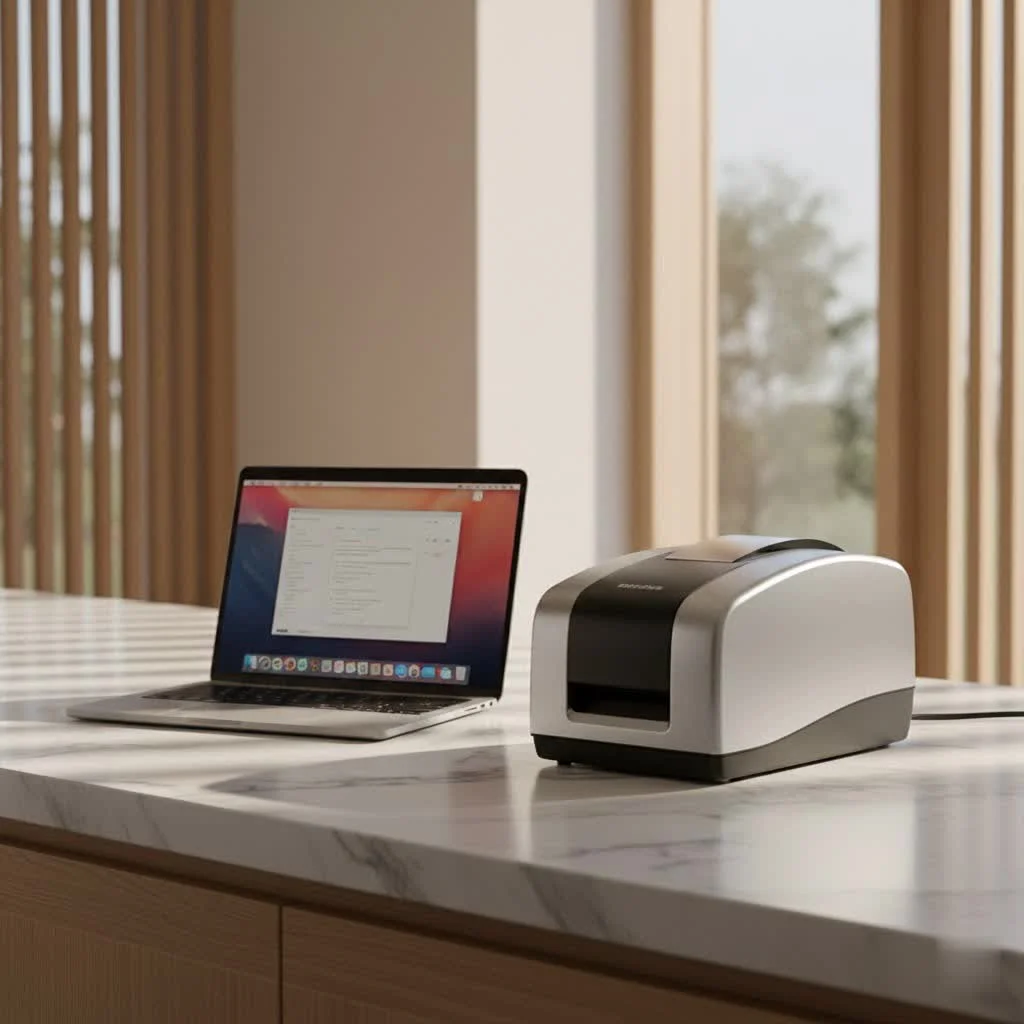
- Dedicated Label Printers: While not “label makers” in themselves for creating the data, these are crucial for bringing your digital labels to life. These printers, often thermal or inkjet, vary in capability from basic monochrome labels to vibrant, full-color designs that incorporate your branding alongside the nutrition panel.
Choosing the Right Nutrition Facts Label Maker for Your Needs
Selecting the ideal solution is like picking the perfect ingredient for your recipe—it depends entirely on what you’re making and who you’re serving.
Factors to Consider
|
Our Picks for the Best Label Maker in 2026
As an Amazon Associate I earn from qualifying purchases.
|
||
| Num | Product | Action |
|---|---|---|
| 1 | DYMO LetraTag LT-100H Handheld Aesthetic Label Maker, ABC Keyboard Label Printer with Easy-to-Use, 13 Character LCD Screen, Great for Home & Office Organization, Pink |

|
| 2 | EazeID Embossing Label Maker Machine with Tapes, Manual Embossed Label Maker Retro, Vintage Embosser Labeler 3/8 Inch 9mm 3D Waterproof-Labels for Scrapbooking Supplies Kids DIY Craft Home Office Use |
|
| 3 | MeetRGB Embossed Label Maker (Includes Tape), Vintage Embossing Label Machine, Comes with 5 Rolls of 3D Embossed Labels, Suitable for Office and DIY Use—Purple |
|
| 4 | DYMO LetraTag 100H Plus Handheld Label Maker for Office or Home |
|
| 5 | DYMO LabelManager 160 Portable Label Maker Bundle, Easy-to-Use, One-Touch Smart Keys, QWERTY Keyboard, Large Display, For Home & Office Organization, Includes 3 D1 label cassettes |
|
| 6 | DYMO Label Maker Machine with Tape - 100H LetraTag Handheld, Comes with 3 LT label tapes. Great for Home & Office Organization |
|
| 7 | DETONGER DT5150P Industrial Colorfast Label Maker, Thermal Transfer Label Printer with 1.65\" W Print Head, Heavy-Duty for Outdoor Direct Sunlight Job Sites, Mobile APP & PC Editor Compatible |
|
| 8 | NelkoGlobal Label Maker, Label Maker Machine with Tape, Portable Bluetooth Label Printer with Little Space, Mini D10 Label Machine with Multiple Personalized Templates for Family School |
|
| 9 | Brother P-Touch PT-N20 Personal Desktop Label Maker, Portable, Handheld and Prints, P-Touch Btag ~½” (12mm) Wide Color Personalized Label Tapes |
|
| 10 | LỖI |
|
- Volume: How many products do you sell? A small home baker might be fine with an online generator and a desktop printer, while a medium-sized food manufacturer will need comprehensive software and an industrial-grade label printer.
- Budget: Free online tools are great for testing the waters. Subscription-based software offers more features for a recurring cost, and dedicated label printers range from a few hundred to several thousand dollars depending on capabilities.
- Regulatory Compliance: Ensure any tool you choose explicitly states its compliance with relevant regulations (FDA 2016, CFIA, etc.). This is non-negotiable.
- Ease of Use: If you’re not a food scientist, you’ll appreciate intuitive interfaces and automated calculations. Tools that simplify data entry and offer clear guidance are invaluable.
- Integration: Can the solution integrate with your existing recipe management, inventory, or e-commerce platforms? Streamlining your workflow can save immense time and reduce errors.
Dedicated Label Printers vs. Software Solutions
It’s often not an “either/or” but a “both” situation. Software handles the creation and analysis of your nutrition data, while printers handle the physical output.
For printing, you have two main categories:
- Thermal Label Printers (Monochrome): These are workhorses for clear, black-and-white labels. They use heat to create durable prints, which is perfect for nutrition facts panels, ingredient lists, and barcodes. They are generally fast, cost-effective for high volumes, and resistant to smudging and fading, making them ideal for challenging environments like freezers. Printers like the Godex G530 or ZX1200i are popular choices for their reliability and precision.
- Color Label Printers (Full-Color + Branding): If you want your labels to pop with your brand’s colors and logos alongside the nutritional information, a color label printer is your go-to. These inkjet printers, such as the Afinia L502 or Primera LX4000, produce vibrant, high-resolution graphics. They allow you to combine regulatory information with strong visual branding, helping your product capture attention on the shelf.
“Choosing the right blend of software for analysis and a printer for output is like perfecting a recipe,” shares Anya Sharma, a seasoned food safety consultant. “You need accurate ingredients (data) and the right tools to present them beautifully and compliantly.”
How to Effectively Use and Maintain Your Nutrition Facts Label Maker
Once you’ve chosen your tools, getting them set up and running efficiently is the next step.
Setting Up Your System
- Software Installation: Most online generators are browser-based, requiring no installation. For dedicated software, follow the provider’s instructions. Many will guide you through setting up an ingredient database, often pre-populated with USDA data, or allowing you to add custom ingredients.
- Printer Setup: Connect your label printer to your computer or network. Install drivers and any accompanying software or mobile apps. Thermal printers usually require loading a roll of thermal labels and sometimes a ribbon (for thermal transfer). Color inkjet printers will need ink cartridges and specific label stock compatible with inkjet printing.
Creating Your First Label
- Gather Your Recipe Data: List every ingredient and its exact quantity in your product. This is the bedrock of accurate nutritional analysis.
- Input Nutritional Values: Use your software or online generator to input your ingredients. The best tools will automatically calculate the nutritional content based on their databases. If you have unique ingredients, you might need to manually input their nutritional data or even send samples for lab analysis. ReciPal, for example, allows you to set up recipes and calculate nutrition using its USDA database.
- Determine Serving Size: This is a crucial step. Serving sizes must adhere to FDA Reference Amounts Customarily Consumed (RACC) for your product type and be listed in common household units (e.g., cups, pieces) and metric equivalents (grams).
- Design and Format: Choose an FDA-approved label format (standard vertical, tabular, simplified, or dual-column). Your label maker should ensure correct font sizes, order of nutrients, and proper rounding rules. Essential elements include calories (bolded), total fat (with saturated and trans fat), cholesterol, sodium, total carbohydrates (dietary fiber, total sugars, added sugars), protein, Vitamin D, calcium, iron, and potassium.
- Generate and Review: Generate a preview of your label. Double-check everything—every number, every ingredient, every allergen declaration. Incorrect serving sizes or omitted allergens are common mistakes.
- Print: Use your chosen label printer to produce your labels. If using a service like Avery, ensure your designs are correctly aligned. Printing a small test batch before a large run is always a smart move.
Maintenance Tips for Longevity
Like any piece of equipment, your label maker and printer need a little TLC:
- Keep it Clean: Regularly clean thermal printheads with isopropyl alcohol to prevent streaks and maintain print quality. For inkjet printers, perform head cleanings as recommended by the manufacturer.
- Use Quality Supplies: Invest in good quality labels and ink/ribbons compatible with your printer. This prevents jams, extends printer life, and ensures professional-looking labels.
- Software Updates: Keep your nutrition labeling software updated to ensure it reflects the latest regulatory changes and features.
Creative Applications Beyond Basic Compliance
While compliance is non-negotiable, your nutrition facts label maker can also be a springboard for creativity and marketing.
Branding and Marketing Opportunities
- Customization: While the nutrition panel itself has strict formatting, the overall label design can be customized. Use your color label printer to incorporate your brand logo, colors, and unique graphics. A well-designed label enhances shelf appeal and brand recognition.
- QR Codes: Integrate QR codes that link to your website, recipes, sustainability efforts, or even videos about your product’s journey. This adds an interactive element and provides additional information without cluttering the main label.
- Nutrient Content Claims: If your product qualifies, highlight claims like “High in Fiber,” “Low Sodium,” or “Good Source of Protein.” These voluntary statements, when truthful and FDA-compliant, can significantly influence purchasing decisions for health-conscious consumers.
Customization for Special Diets
For consumers with specific dietary needs, clear labeling is critical. Your label maker is vital for:
- Allergen Information: Beyond the mandatory “Contains” statement for major allergens (milk, eggs, fish, shellfish, tree nuts, peanuts, wheat, soybeans), you can use your label to highlight other common allergens or dietary specifics.
- Dietary Icons: While not FDA-mandated, icons for “Vegan,” “Gluten-Free,” or “Keto-Friendly” can quickly communicate product suitability to target audiences.
- Special Formats: Some label makers can generate specific formats for infants or children, or dual-column formats for products that could be consumed in one or multiple sittings, further enhancing clarity for niche markets.
Nutrition Facts Labeling Solutions for Businesses
Whether you’re a burgeoning startup or an established enterprise, the right label maker solution can adapt to your evolving business needs.
Small Businesses and Startups
For small businesses, the challenge often lies in achieving compliance without a massive budget. Online generators offer a cost-effective entry point, allowing you to create labels without expensive software or lab testing. Pairing these with an affordable thermal label printer (like the Phomemo M110, known for small businesses) allows for in-house printing on demand. Many software solutions also offer tiered pricing, making advanced features accessible as you grow.
Remember, even if your small business is exempt from mandatory labeling (under 100 employees and 100,000 units/year, without nutrient claims), providing nutrition facts voluntarily builds invaluable consumer trust.
Scaling Up: Medium to Large Enterprises
As your business expands, so do your labeling needs. This is where robust nutrition analysis software becomes indispensable. Features like secure recipe management, batch scaling, inventory tracking, and API integration become critical for efficiency. These platforms help manage hundreds or thousands of recipes, track ingredient costs, and ensure consistent compliance across a diverse product line. Industrial-grade color label printers, like the VIPColor VP550, can handle high-volume printing with speed and precision, essential for large production runs.
Ensuring FDA/USDA Compliance
Regardless of size, staying current with FDA and USDA regulations is paramount. The best nutrition facts label makers are continuously updated to reflect changes in labeling laws, such as those related to serving sizes, nutrient values, or allergen declarations. Always verify that your chosen solution keeps pace with these evolving standards. Many software providers also offer expert consultation services to review your labels and ensure ironclad compliance.
Frequently Asked Questions About Nutrition Facts Label Makers
Got more questions bubbling up? Here are some common queries we hear at Paerm.com:
Do all food products need a nutrition label?
No, not all food products require a nutrition label. Generally, most packaged foods sold in retail need an FDA-compliant panel, but raw fruits, vegetables, fish, and certain small businesses meeting specific criteria (e.g., fewer than 100 employees and 100,000 units sold annually, with no nutrient claims) may be exempt.
How do I determine the correct serving size for my product?
Serving sizes should follow FDA “Reference Amounts Customarily Consumed” (RACCs) for your specific product type. These are standardized amounts based on typical consumption patterns. You’ll need to list the serving size in common household units (like cups or pieces) and their metric equivalents (grams or milliliters).
What are the key nutrients required on a nutrition label?
At a minimum, your label must include calories, total fat (and saturated/trans fats), cholesterol, sodium, total carbohydrates (with dietary fiber, total sugars, and added sugars), protein, Vitamin D, calcium, iron, and potassium. Vitamins A and C are no longer mandatory but can be listed voluntarily.
Can I print my nutrition labels at home or do I need professional printing?
Yes, you can absolutely print your nutrition labels at home or in-house! Many small businesses utilize desktop thermal or inkjet label printers with blank label stock. For professional, high-volume needs, custom label printing services are available, but in-house printing offers greater flexibility and control.
What happens if my nutrition facts label is incorrect?
If a nutrition label is incorrect, it can lead to serious consequences, including regulatory fines, product recalls, and significant damage to consumer trust and brand reputation. It’s crucial to ensure accuracy and to rectify any errors immediately by updating labels and potentially notifying regulatory bodies if the error impacts consumer safety.
How often do nutrition label laws change?
Nutrition label laws are updated periodically based on new scientific research, public health concerns, and evolving dietary guidelines. The FDA, for instance, introduced significant updates to the Nutrition Facts label in 2016, marking the first major overhaul in over two decades. It’s important to stay informed through reliable sources like the FDA’s official website.
Conclusion
Stepping into the world of food production and sales means embracing the responsibility of clear and accurate labeling. A reliable nutrition facts label maker, whether it’s sophisticated software or a robust printer, is more than just a tool; it’s a commitment to transparency, compliance, and consumer health. By understanding the regulations, choosing the right solutions, and maintaining diligent practices, you can create labels that not only meet legal requirements but also genuinely connect with your customers. It’s about empowering people to make healthier choices and fostering a relationship built on trust. Here at Paerm, we believe that when you get your labels right, you’re not just selling a product; you’re selling confidence, quality, and care. So go forth, label smartly, and let your delicious creations speak for themselves!
Get our weekly buyer guide
Practical specs, not advice. Unsubscribe anytime.
